
Welcome to school life simplified.
Use Flexischools for easy ordering and cashless payments for school canteen, uniforms, fundraisers, and events.


Is your school using Flexischools? Here’s what you need to know
What is Flexischools?
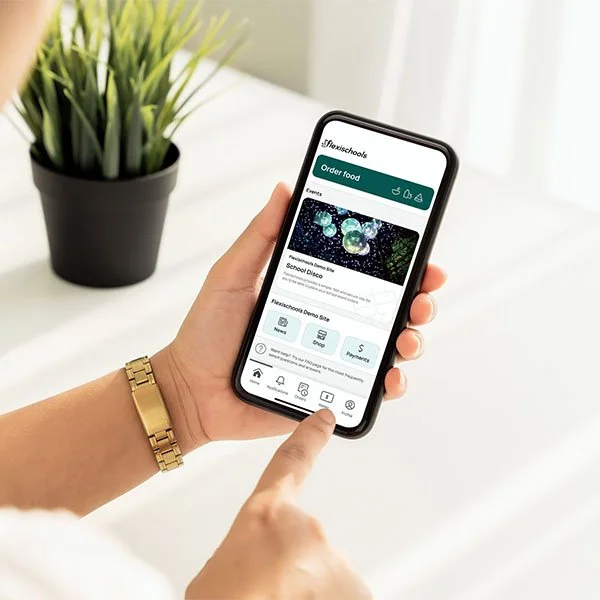
Flexischools is a simple, secure way for parents and carers to manage everyday school payments in one place.
Using the Flexischools app or website, you can order from any of the services available at your child’s school - from school lunches, to uniforms, events, and school fundraisers—without needing to rummage for cash or bounce between multiple systems.
Flexischools is used by over 2,000 Australian schools to make school life easier for families, students, and school communities alike. Parents can manage everything through one easy‑to‑use account, anytime and anywhere.
How can parents use Flexischools?
Parents use Flexischools to:
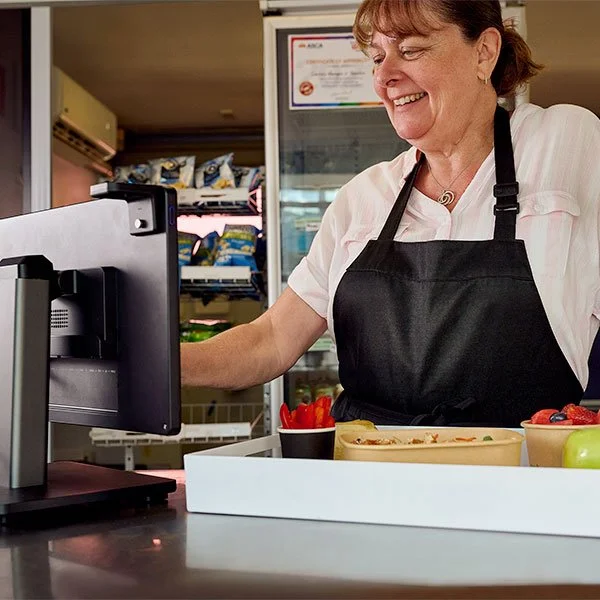
Order lunches and snacks from their school canteen
Purchase school uniforms and supplies
Pay for excursions, events, and activities
Contribute to school fundraisers and initiatives
Manage balances and view order history in one place
All payments are handled securely through the Flexischools app or website, helping reduce the need for cash and making it easier to stay organised.
Why do parents choose Flexischools?
Flexischools is designed to fit around busy family life, and it’s why you can find Flexischools in over 2,000 schools Australia-wide. Parents love Flexischools because it:
Simplifies school payments into one app
Reduces the need for cash and last‑minute notes
Helps manage spending and reduce food waste
Saves time during busy mornings and school weeks
Keeps them in control at all times, with visibility over orders, balances, and payments through your account.
It’s a practical way to stay organised while supporting your child’s school.
Creating your account and placing orders
You’ll need to create a parent account in order to place orders using Flexischools. It’s quick and easy to do!
-
1. Register with Flexischools
Click here to get started with setting up your account
Enter your email address and click ‘Sign up’ to create an account.
In your inbox, open the registration email.
Click the link within the registration email and follow the prompts required.
2. Enter your child’s details
Once your parent account has been created, log into your Flexischools account to add students
Select ‘Profile’ icon on the navigation bar.
Under ‘Students’, click ‘Add new’.
Enter your child’s name, search for their school, then add their year level, and class. Click ‘Save’.
-
1. Register with Flexischools
Open your Flexischools app and click ‘Register'.
Submit your email to create an account.
In your inbox, open the registration email.
Click the link within and follow registration prompts in app.
2. Enter your child’s details
Once your account is set up, log into your Flexischools app
Select ‘Profile’ icon on the navigation bar.
Under ‘Students’, click ‘Add new’.
Enter your child’s name, school, year level, and class. Click ‘Submit’.
-
We recommend downloading the Flexischools app from the Apple App Store (iOS) or Google Play Store (Android)
Here’s how to place an order using the Flexischools app
Click ‘Order’ - top of app home screen
Select the student you’d like to order for
Choose a service (e.g. lunch) and order date
Select any items you’d like to order
Once finished, click ‘View order’
Select ‘Checkout & pay’ to place your order
-
If you have any trouble signing up or placing an order, check out our FAQs page and if you can't find what you're after, then our friendly customer support team is available weekdays 7:00am-5:00pm AET via web ticket or on 1300 361 769.
Flexischools is an online ordering and payment platform that is not involved in the preparation or delivery of any items. If you are experiencing issues with the delivery of your order, receiving incorrect items or have questions about quality, please contact the relevant service provider directly who will be best placed to assist you.
Using the Flexischools app
This tutorial guides you through setting up an account and placing orders on the Flexischools smartphone app.
The video above demonstrates how to sign up and use Flexischools for ordering at your school.
The audio has been filmed in English, but can be easily translated to a range of languages using the following instructions:
1. Open the video on Youtube
2. In the bottom right hand corner, click the "CC" subtitles/captions button.
3. Then click the "cog" settings button next to the captions button.
4. In settings, click "Subtitles/CC" > "Auto-translate", and select your language from the list.


Follow us on socials
Download our app